
 Updated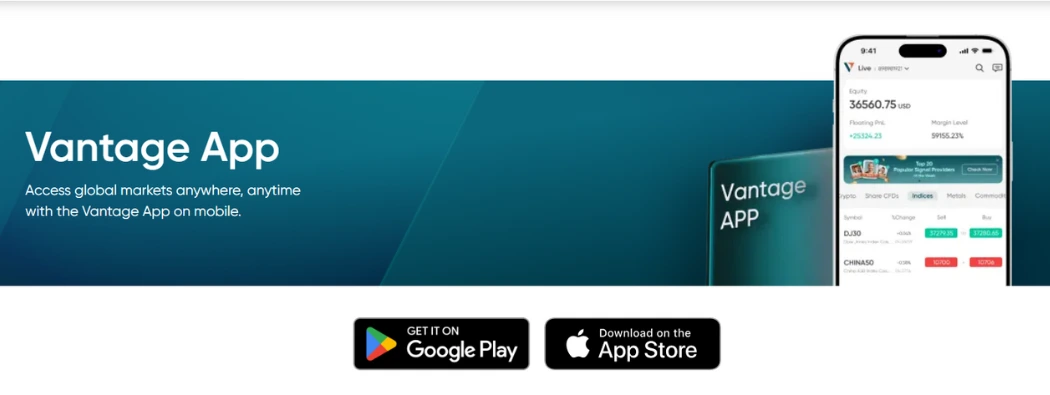
The Vantage All-In-One App is fast becoming the best trading app in South Africa today. When I started trading almost 2 decades ago, I had just one tool: MetaTrader 4 (MT4). It was simple, fast, and it did the job. However, the forex trading landscape appears quite different now.
Traders now have more options than ever, including MetaTrader 5 (MT5) and newer platforms like the Vantage App. However, more choices also mean more confusion. The questions then become: which platform is best for forex? Which one is beginner-friendly? And can you use them all from one broker?
In this guide, I’ll break everything down for you to see.
You’ll see clearly how day trading apps like MT4, MT5, the Vantage App, and others compare, based on real trading experience, not just specs. I’ll show you what each platform is good for, where they fall short, and how I use them to trade better.
Whether you’re just getting started or looking to switch tools, this post will help you make the right call.
Please note: Vantage offers trading exclusively through Contracts for Difference (CFDs). You do not own the underlying assets such as stocks, commodities, or indices; instead, you trade price movements via CFDs.
Why Choosing the Right Platform Changed Everything for Me
When I first started trading, I thought all platforms were the same. I was wrong.
I used whatever my broker recommended. Sometimes it worked. Other times, I lost trades not because of my analysis, but because the platform was too slow, confusing, or simply not built for my needs.
Over time, I realised something important:
Your trading platform isn’t just a tool. It’s your workspace. Your cockpit. Your edge.
Here’s an example.
Back in 2017, I missed a clean gold breakout because my mobile platform kept freezing. I was on a basic app, and it simply couldn’t keep up with price action. That day cost me $400. From that moment, I took platforms seriously.
Since then, I’ve used MT4, MT5, and now the Vantage App. Each one plays a different role in how I trade today.
If you’re serious about trading, especially in fast-moving markets like forex, choosing the right platform can make or break your setup.
Veteran Tip:
Don’t just ask “Which is better?”
Ask: “Which one fits how I trade?”
In the following sections, I’ll break down each platform, starting with the one that taught me everything.

MT4: The Platform That Taught Me Discipline
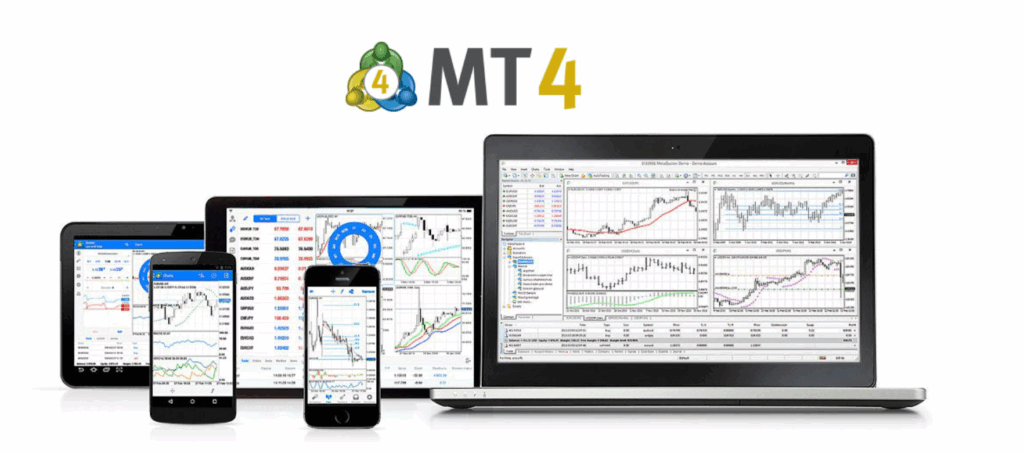
If you’ve ever asked a seasoned trader what platform they started on, chances are they’ll say MetaTrader 4.
For me, MT4 was my training ground. I created my first live trading account on it. I learned how to manage risk, place trades, and stare at charts for hours, all on this simple, no-frills platform.
What made MT4 special wasn’t its fancy features. It was the discipline that it taught me.
I had no distractions. No unnecessary buttons. Just price action, a handful of indicators, and the raw reality of the market. It learned the basics of forex trading the hard way, which, in hindsight, was the best thing that could have happened.
Key Features of MT4 (That Still Matter in 2026):
- Clean, lightweight interface
- Fast execution (especially for forex)
- Expert Advisor (EA) support for automated trading
- Works well on low-spec devices
- Ideal for manual traders and beginners
Note: Automated trading carries risk and may not be suitable for all traders.
MT4 Limitations
- No built-in economic calendar
- Limited charting tools compared to MT5
- Can’t trade stocks or non-forex assets easily
- Not mobile-optimised by today’s standards
MT4 by the Numbers (Still Holding Strong in 2026)
- Over 85% of retail forex trades globally were still executed on MT4 as of late 2025, according to Compare Forex Brokers.
- It’s supported by 90% of major forex CFD brokers, including Vantage Markets.
- There are over 2,000 custom indicators and thousands of EAs built specifically for MT4.
- The MT4 Android app has been downloaded over 10 million times on the Google Play Store.
“MT4 taught me how to survive in the market. It’s still a powerful tool — especially when paired with a good CFD broker like Vantage.”
Should you use MT4 today?
If you’re focused on forex CFDs trading, prefer a clean layout, or want to run EAs, then yes, MT4 still holds its own. And with brokers like Vantage, you can open an MT4 account in minutes, with both demo and live options available.
Why MT4 Still Works in 2026
- Lightweight and fast: It runs smoothly on older or low-spec devices.
- Simple interface: Great for beginners who don’t want to be overwhelmed
- Expert Advisor (EA) support: Automate your strategy with ease
- Low latency execution: Ideal for scalpers and short-term traders
- Vantage Integration: MT4 accounts on Vantage come with low spreads and no requotes
“MT4 doesn’t have to be perfect. It just has to be stable. And it still is.”
My Veteran Take
MT4 taught me how to be a disciplined trader. It forced me to learn risk control without relying on shiny tools. Even in 2025, I still use MT4 to run my simplest, most profitable EA, and I keep a live MT4 account with Vantage for that reason alone.
If you’re just starting or looking for a stable, tested platform, MT4 remains a worthwhile choice. Especially when paired with a CFD broker like Vantage, which offers fast execution and tight spreads.
Up next, let’s look at the newer sibling: MT5.
MT5: Built for the Trader Who Wants More
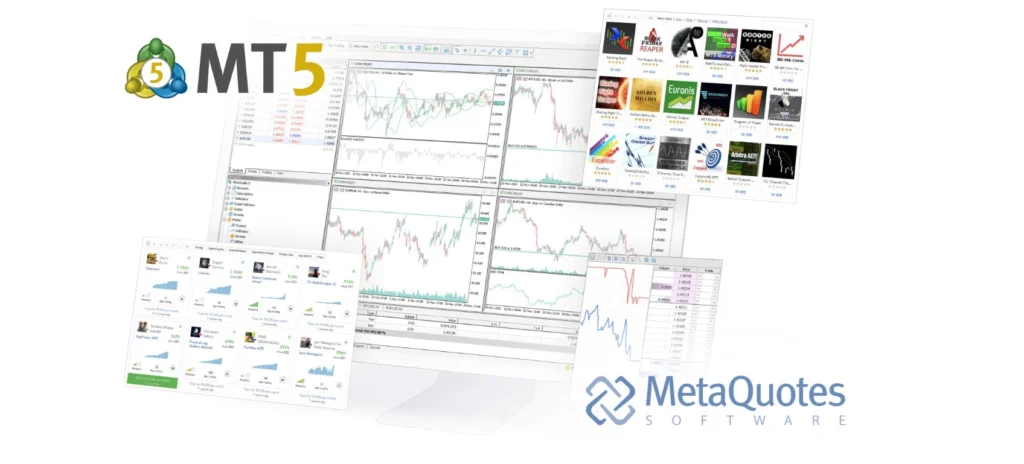
As I gained more experience and delved deeper into trading, MT4 began to feel limited to me.
I wanted more than just forex. I needed a platform that could handle indices, commodities, and even synthetic instruments, all from one place. That’s when I moved to MetaTrader 5.
If MT4 was my boot camp, MT5 became my command centre.
Why MT5 Is Gaining Ground (Especially in 2026)
- Over the past few years, CFD brokers have gradually shifted focus to MT5, including major players like Vantage Markets.
- MetaQuotes no longer offers new MT4 licenses, pushing new traders and brokers toward MT5.
- MT5 offers 21 timeframes (vs. nine on MT4) and 38 built-in indicators (vs. 30 on MT4)
- You can trade forex, stocks, indices, ETFs, and commodities via CFDs with a single login.
- It supports hedging and netting systems, covering both South African and international traders.
Features That Stand Out on MT5
- Advanced charting tools and custom indicators
- Built-in economic calendar
- Better order management (market depth, partial fills, stop-limit orders)
- Multi-threaded strategy tester for EA developers
- Faster execution due to 64-bit architecture
What’s Not So Great About MT5?
- It’s heavier and slightly slower on low-end devices.
- It can feel complex for beginners because of its extensive feature set.
- Many free indicators and bots are still MT4-compatible only.
“If you want to trade more than forex CFDs, MT5 is where the world is going. It’s faster, broader, and just more powerful.”
My Veteran Take
MT5 gave me the tools I needed to expand beyond fundamental forex. I now monitor forex, US30, and gold all from the same interface. It can help with technical analysis, though successful trading depends on many factors.
I still run MT4 for some EA testing, but MT5 is my main platform now, especially when I’m trading from my desktop setup. And with Vantage offering both MT4 and MT5, I don’t have to choose. I use both under one broker.
Next, we’ll talk about the Vantage App and why it might just surprise you (even as a veteran).
The Vantage App: Trading Built for the Mobile-First Generation
When I first heard about the Vantage App, I didn’t expect much. Most mobile trading apps feel clunky, slow, or overly simplified. But this one surprised me.
With over 5 million active downloads, the Vantage App, designed for both iOS and Android devices, offers traders seamless mobile access to a broad selection of their favourite assets.
Experience the power of advanced trading tools integrated into an intuitive, user-friendly charting interface right on your mobile device.
Get Started with Vantage App Today
Built specifically for Vantage Markets clients, the Vantage App is more than just a companion to MT4 or MT5; it’s a competent trading environment of its own.
Whether you’re tracking forex pairs or monitoring gold in real-time, this app is fast, clean, and beginner-friendly. I now use it for most of my on-the-go CFDs trading, and I’ve grown to rely on it more than I had expected.
Vantage App Features at a Glance:
- All-in-one trading access: Trade forex, indices, commodities via CFDs from your phone
- Real-time price alerts and push notifications
- Smart order types, including stop, limit, and trailing stop
- Built-in copy trading tools (no third-party platforms needed)
- Seamless funding and withdrawals from inside the app
- Multi-language support and responsive live chat
- Available on Android and iOS, with fast updates and fixes
“It doesn’t feel like a stripped-down version of MT4. It’s a polished, intuitive platform made for 2025 traders.”
Vantage App vs MT4: What’s Different?
| Feature | Vantage App | MT 4 |
| Platform Access | Mobile only | Desktop + Mobile |
| Asset coverage | CFDs such as Forex and more | Primarily forex CFDs |
| Copy Trading | Built-in | Needs plugin/integration |
| Userbility for Beginners | Very high | Moderate |
| Execution speed | Fast and optimised | Fast(Depends on broker) |
| Updates and support | Actively maintained | Available |
Why It’s Perfect for Traders in South Africa
South Africa has one of the fastest-growing mobile trading communities. Many new traders skip desktops entirely. The Vantage App is ideal in this context:
- Low data usage and stable across various network speeds
- Compatible with local deposit methods supported by Vantage
- Helps South African users open demo or live accounts instantly
That’s why it is a widely used CFD trading app in South Africa, especially popular with beginners and mobile-first traders.
My Veteran Take
As someone who started on desktop-only platforms, I never thought I’d say this, but the Vantage App holds its own. I now place at least 30% of my trades through it, especially when I’m away from my screen.
It’s not meant to replace MT4 or MT5, but to complement them.
If you want flexibility and speed without sacrificing control, it’s worth trying.
Vantage Tip:
Use the Vantage App for entries and exits on the go. Do your technical analysis on MT4 or MT5, then execute confidently on mobile.
MT4 vs MT5 vs Vantage App: Feature-by-Feature Comparison
If you’re still torn between the platforms, this side-by-side comparison will help you choose based on how you trade, not just what sounds popular.
| Feature | Meta trader 4(MT4) | Meta trader 5(MT5) | Vantage App |
| Primary Case Use | Forex CFD trading | Multi-asset CFD trading | Mobile trading |
| Interface Simplicity | Beginner-friendly | Clean | Clean and intuitive |
| Available Markets | Forex via CFDs | Stocks, Forex, indices, crypto via CFDs | Forex, indices, commodities via CFDs |
| Order Types | Basic | Advanced (stop-limit, partials) | Advanced (trailing stop, one-click) |
| Execution Speed | Fast | Faster (64-bit) | Optimised for mobile |
| Charting Tools | Basic | Advanced (21 time-frames | Functional (great for mobile) |
| EA and Automation Support | Not included | Not included | Included |
| Copy Trading | Plugin-based | Plugin-based | Built-in |
| Economic Calender | Not included | Included | Included |
| Supported Devices | Desktop, Android, iOS | Desktop, Android, iOS | Android, iOS |
| Update and Maintenance | Discontinued by MetaQuotes | Actively supported | Actively supported by Vantage |
| Best for | Forex beginners, EA users | Experienced, multi-asset traders | Mobile-first traders, copy traders |
Final Thoughts on the Comparison
- Choose MT4 if you want a lightweight, proven platform for forex CFDs.
- Pick MT5 if you want to trade multiple markets with advanced tools.
- Try the Vantage App if you’re mobile-first and want simplicity with power.
Vantage Tip: Some Vantage users run MT5 on a desktop for deep analysis and the Vantage App on mobile for entries, exits, and alerts. The two work beautifully together.
Let me know if you want to proceed to the next section:
What Platform Should You Use
There’s no single “best” platform. It all depends on how you trade and what you expect from your tools.
Here’s how I match each platform to different trading styles, based on real-world experience.
For Manual Forex CFD Traders (Beginners or Intermediate)
Go with MT4:
- It’s clean, fast, and not overloaded with features.
- Great if you’re focusing strictly on major forex CFD pairs
- Works well with smaller screen sizes and older PCs
Why?
MT4 forces you to master the basics: price action, stop-loss discipline, and trade management, without distractions.
Best combo: MT4 + Vantage = low spreads + high execution speed.
For Technical Analysts and Multi-Asset Traders
Choose MT4:
- You get 21 timeframes and advanced drawing tools
- Perfect for trading forex, gold, NASDAQ, and even crypto via CFDs
- Strategy testing is easier and faster with MT5’s upgraded engine.
Why?
If you use indicators, multi-timeframe analysis, or trade multiple instruments, MT5 gives you room to grow.
Veteran Tip:
Use MT5 for analysis, but execute on mobile using the Vantage App for speed and convenience.
For Mobile-First Traders
Start with the Vantage App
- A clean interface means less overwhelm.
- Perfect if you primarily trade on the go
Why?
The Vantage App is optimised for mobile performance. It’s not a watered-down version of MT4/MT5; it’s a complete platform that fits today’s mobile-first lifestyle.
Many traders consider this one of the best trading apps in South Africa for mobile execution.
For Strategy Testers and EA Users
Stick with MT5 or MT4
- You’ll need desktop platforms to build and run Expert Advisors
- MT5’s strategy tester is much more powerful and faster than MT4’s
- Both let you code your own indicators in MQL.
My Honest Take
If I had to start over again as a beginner in 2025, what would I do?
- I’d use MT4 to learn discipline.
- Then upgrade to MT5 for growth.
- And keep the Vantage App for fast entries and alerts on the move.
With Vantage, you don’t need to choose just one. All three platforms are available under one account.
The Worst Time to Trade and Why I Avoid It
If there’s one thing that costs me more money than bad analysis.
It was trading at the wrong time.
Early in my trading journey, I’d place trades at random hours, late at night, during lunch breaks, even on Sunday nights. I thought, “The market is always open, right?”
Big mistake.
Here’s What I Learned (the Hard Way)
Not all trading hours are created equal.
Sometimes, we are full of opportunity.
Others? Just noise.
The worst time to trade forex CFDs is when:
- Liquidity is thin
- Volatility is low
- News events are unpredictable.
- Or multiple markets are overlapping in weird ways.
Avoid These Trading Windows
| Time(SAST) | Why to Avoid |
| Sunday 11 PM – Monday 4 AM | Market just reopened, spreads are wide, volume is low |
| Friday after 5 PM | Traders are closing positions, not opening new ones |
| During major holidays | Thin liquidity = erratic moves and false breakouts |
| Low-impact news hours | Choppy, directionless market movement |
“Trading during these windows is like sailing with no wind. You’re in motion, but you’re going nowhere.”
The Trap Most Beginners Fall Into
They chase setups when the chart looks nice, without checking the time of day or market session.
I used to force trades during quiet hours because I felt impatient. But all I got was frustration and drawdown.
Now, I trade when it counts, and stay out when it doesn’t.
Vantage Tools That Help Me Avoid Bad Timing
- Economic calendar alerts are built into MT5 and the Vantage App.
- Session overlaps display to time high-volume trades (especially London–New York)
- Push notifications to avoid missing key windows.
Veteran Takeaway
You don’t need to trade all day to win.
Just hit the right window, and let the market do the rest.
Want to know the best times instead? Stay tuned, it’s coming.
How Global and Local Factors Affect Your Trading Window (South Africa Focus)
Let’s face it, trading isn’t just about charts.
It’s about timing. And when you’re in South Africa, certain unique factors can impact your trading window.
The Global Forex Market Moves in Sessions
The forex market is open 24/5, but it moves in waves based on global sessions:
| Session | SAST Time | Key Pairs to Watch |
| Sidney | 11 PM – 8 AM | AUD/USD, NZD/USD |
| Tokyo(Asia) | 1 AM – 10 AM | USD/JPY, EUR/JPY |
| London | 9 AM – 6 PM | EUR/USD, GBP/USD, XAU/USD |
| New York | 2 PM – 11 PM | USD/CAD, USD/JPY, US30 |
What are the most active hours for South African traders? Between 9 AM and 11 PM SAST, which overlaps with London and New York.
What South African Traders Should Watch Out For
- Load Shedding Interruptions
Power cuts can delay entries, disrupt exits, and affect mobile connectivity.
Tip: Always set alerts on the Vantage App in case you lose power. - Network Reliability: Stable internet = better execution. MT5 and the Vantage App both run well on moderate data plans, but slow networks can still cause slippage.
- Local Bank Hours: Funding or withdrawals via local methods may be delayed after 4 PM or during public holidays. Vantage aims to process them quickly, but processing times may vary depending on circumstances.
- Time Zone Drift: Some traders follow GMT or UTC when reading charts. Always double-check that your MT4/MT5 is set to the correct SAST (GMT+2) or local offset.
Veteran Insight
Living in South Africa gives you a unique edge.
You’re perfectly positioned between the Asian Trading session, which closes, and the U.S. trading session, which opens, meaning you can catch momentum early and ride it all the way through.
Just plan your sessions trading around peak hours, and don’t fight the market when it’s asleep.
The Tools I Use Daily to Time My Trades
Let’s be honest: timing the market isn’t just about instincts. It’s about having the right tools in your corner. Over the years, I’ve tested a lot of them — some overhyped, others truly useful. Today, I rely on a small set of tools that help me trade smarter, not more.
1. Forex Session Clock (Market Overlap Tracker)
I never start my day without checking which session is open.
The session clock shows:
- Which global markets are currently active
- When London and New York overlap
- When to avoid thin liquidity (like during Asia’s midday lull)
You can explore using the Vantage App on the Vantage Markets trading platform, especially on volatile pairs like GBP/USD or XAU/USD.
2. Economic Calendar (News Filter)
This is non-negotiable.
Before I enter a trade, I check the Vantage Markets live economic calendar for high-impact events.
Why? Because interest rate decisions, CPI reports, and NFP can move markets 100+ pips in minutes.
Most platforms make this easy:
You can download the Vantage SmartTrader Tools PDF guide here
- MT5 has a built-in calendar with impact ratings
- The Vantage App offers mobile alerts when key news is coming.
- I also double-check on websites like Forex Factory or Investing.com.
If there’s red-folder news within the hour, I sit on my hands.
3. Vantage App Price Alerts
I love this one because I don’t have to stare at charts all day.
I set custom price alerts directly in the app for major levels, trendlines, or breakouts I’m watching. It pings me when the price hits my zone.
No more missed setups. No more guessing.
4. My Routine (Time Blocks)
This isn’t software, but it’s a tool that changed my game. I block off 9 AM to 12 PM and 2 PM to 4 PM SAST for focused trading. That’s when:
- London is active
- Volatility is healthy
- News has either just landed or is about to
I treat it like work hours. No multitasking. Just clean setups and planned execution.
“With the right tools and the right timing, you don’t need to trade all day. You just need to trade when it matters.”
Top Timing Mistakes Most Traders Make (And How I Learned to Avoid Them)
I’ve made just about every mistake in the book.
But the ones that hurt the most weren’t about bad setups; they were about bad timing.
Here are the biggest timing traps I’ve fallen into (and how you can avoid them).
1. Trading During Low Volume Hours
There were days I’d wake up at 3 AM and force trades, thinking I’d “catch early moves.”
What actually happened?
- Spreads were wide
- Price moved in tiny, jerky patterns.
- I ended up overtrading to make up for the inaction.
Avoid trading during quiet times, such as post-Asia or late Fridays. There’s no flow, just frustration.
2. Ignoring Major News Events
Once, I placed a GBP/USD long trade 15 minutes before a Bank of England interest rate announcement.
Let’s say my stop loss never stood a chance.
Now? I never trade blind.
Lesson learned:
- Always check the economic calendar.
- Know when central banks are speaking.
- Sit out if you’re unsure — missing a trade is better than misjudging one.
3. Trading Every Session (Burnout Mode)
For a while, I thought more trades meant more profit.
So I’d trade Tokyo, then London, then New York… every single day.
Guess what?
- I was exhausted
- I made emotional decisions.
- And I missed the clean setups because I was so engrossed in the noise.
You don’t need to catch every move. You need to see the right one.
4. Letting FOMO Override Timing Discipline
This one’s sneaky.
You see the price breaking out and think, “I’ll just jump in now before it’s too late.”
But it’s often too late because the move already happened during the session you ignored.
Timing matters more than excitement. If your setup triggers during dead hours, wait.
If it doesn’t align with your time block, skip it.
How I Fixed It:
- I only trade during the London and London–New York overlap.
- Use Vantage App alerts to avoid watching charts all day.
- I check the news calendar before every session.
- And I forgive myself for missed trades. There’s always another setup.
Veteran Tip:
The best traders don’t just master analysis; they master patience.
Final Thoughts from a Veteran Trader: Trade Less, Focus More, and manage risk carefully.
If you’ve read this far, you already care more than most.
And that’s good, because success in trading doesn’t come from flashy indicators or watching charts 12 hours a day.
It comes from timing, discipline, and using the right tools with the right broker.
Over the years, I’ve learned that:
- Trading during high-impact hours matters more than trading often.
- Simplicity wins over complexity.
- In my experience, fewer decisions per session help improve trading discipline.
That’s why I’ve streamlined my entire setup.
- MT5 for strategy testing and multi-asset trades
- Vantage App for clean mobile execution and alerts
- One broker (Vantage) that offers tight spreads, fast execution, and support when I need it
I don’t need five apps or 10 strategies.
Just a quiet mind, a good session window, and a platform I can trust.
If you’re still asking:
“Should I use MT4, MT5, or the Vantage App?”
Here’s my honest answer:
- Use MT4 if you’re starting.
- Move to MT5 as your strategy matures
- Keep the Vantage App for fast execution and mobile alerts
All under one Vantage account.
Want to Put This Into Action?
You can open a live or demo account with Vantage today and test all three platforms side by side.
No pressure. Just practice, time your trades, and learn what works best for you.
Glossary of 30 Common Forex and Trading Terms
- MT4 (MetaTrader 4): A simple trading platform primarily used for forex trading, known for its speed and expert advisor (bot) support.
- MT5 (MetaTrader 5): An advanced platform that supports multiple assets like forex, stocks, and indices with better charting and timeframes.
- Vantage App: A mobile trading app developed by Vantage, built for fast execution and managing accounts on the go.
- Demo Account: A free practice account that lets you test the market and platform with virtual money.
- Live Account: A real-money trading account where profits and losses are actual. Requires verification to open.
- Forex (Foreign Exchange): The global market for trading currencies like USD, EUR, GBP, etc.
- CFD (Contract for Difference): A trading product where you speculate on price changes without owning the actual asset.
- Lot Size: The volume of a trade. A standard lot = 100,000 units of currency.
- Leverage: Borrowed funds that increase your trade size. Example: 1:100 leverage means $100,000 in buying power with a $ 1,000-funded account.
- Pip (Point in Percentage): The slightest movement a currency pair can make is usually 0.0001.
- Spread: the difference between the bid (buy) and ask (sell) prices. It’s your broker’s profit margin.
- EA (Expert Advisor): A bot that automatically trades for you based on programmed rules in MT4 or MT5.
- Market Order: An order to buy or sell at the best available price instantly.
- Pending Order: A future trade order that activates when the price reaches a certain level.
- Stop Loss (SL): An automatic order to exit a losing trade to avoid further loss.
Others Include
- Take Profit (TP): An automatic order to close a trade when it reaches a set profit level.
Source: BabyPips - Volatility: This is how much the price fluctuates in a short time. More volatility = more risk and opportunity.
- Margin: The amount of money you need to open a leveraged trade.
- Margin Call: A broker alert or automatic closure occurs when your losses approach your available balance.
- Swap (Overnight Fee): A small interest charged or earned when holding a position overnight.
- Slippage: When your trade executes at a price different from what you expected, it usually happens in fast markets.
- Liquidity: This indicates how easy an asset can be bought or sold without significant price changes.
- Drawdown: The amount by which your account balance drops during a losing streak or trade.
- Risk Management: A strategy to limit your losses and protect your capital, e.g., stop loss, position sizing.
- Chart Pattern: Visual shapes, such as “Head and Shoulders” or “Double Top,” suggest potential price moves.
- Indicator: Tools such as RSI and MACD are used to analyse charts and predict price direction.
- Timeframe: The chart period you analyse (e.g., 1-minute, 1-hour, daily). MT5 has 21 timeframes.
- Mobile Trading: Using a smartphone or tablet to log in or access your trading account and place trades.
- Account Verification (KYC): The process involves submitting your ID and proof of address before you can use a live trading account.
Expert Frequently Asked Questions: Best Time to Trade Forex in South Africa
1. What is the best time to trade forex CFDs in South Africa?
The best time is between 9 AM and 6 PM SAST, during the London session and London–New York overlap (2 PM–6 PM). This is when:
- Liquidity is highest
- Volatility creates real opportunities.
- Most major news events drop.
If you’re trading Forex CFD pairs like EUR/USD, GBP/USD, or XAU/USD, this is your window.
2. What’s the worst time to trade?
Avoid trading late Sunday nights (when the market opens) and late Friday evenings (when volume dries up). Also, avoid public holidays and low-volume gaps in the Asian session unless you’re experienced.
3. Can I use both MT5 and the Vantage App together?
Yes, and many smart traders do. Use MT5 on your desktop for in-depth analysis and strategy testing, then use the Vantage App on mobile to:
- Set alerts
- Place trades
- Monitor open positions
One Vantage account gives you access to both.
4. Is MT4 still good in 2025?
MT4 is still reliable for forex trading, but it lacks multi-asset support. If you’re new, it’s a good place to start, but MT5 or the Vantage App may serve you better long term.
5. When is the best time to trade gold in South Africa?
6. How do I avoid slippage or delayed execution?
Trade during high-volume hours (London & New York sessions)
News events can cause high volatility and increased risk; such times may not be suitable for all traders.
Use limit orders instead of market orders.
Choose a broker like Vantage, known for low latency and fast execution.
RISK WARNING: CFDs are complex financial instruments and carry a high risk of rapid loss of money due to leverage. You should ensure you fully understand the risks involved and carefully consider whether you can afford to take the high risk of losing your money before trading.
Disclaimer: The information is provided for educational purposes only and doesn’t take into account your personal objectives, financial circumstances, or needs. It does not constitute investment advice. We encourage you to seek independent advice if necessary. The information has not been prepared in accordance with legal requirements designed to promote the independence of investment research.
No representation or warranty is given as to the accuracy or completeness of any information contained within. This material may include historical or past performance figures and should not be relied on. Furthermore, estimates, forward-looking statements, and forecasts cannot be guaranteed. The information on this site and the products and services offered are not intended for distribution to any person in any country or jurisdiction where such distribution or use would be contrary to local law or regulation.
References
Official Broker & Platform Sources
- MetaQuotes – MT4 & MT5 Documentation
https://www.metaquotes.net/en/metatrader4
https://www.metaquotes.net/en/metatrader5 - Vantage Markets Official Website
https://www.vantagemarkets.com/trading-platforms/mobile-app
https://www.vantagemarkets.com/trading-platforms/metatrader-5 - Forex Peace Army Forums (user reviews on MT4/MT5 and broker feedback)
https://www.forexpeacearmy.com - TradingView Community & Ideas https://www.tradingview.com
- Babypips – Forex Market Hours https://www.babypips.com/learn/forex/forex-trading-sessions
- Forex Factory – Market Session Clock & News Calendar https://www.forexfactory.com/calendar
- Investing.com – Economic Calendar https://www.investing.com/economic-calendar/
- SA Government – Load Shedding Impact Reports https://www.gov.za